
File organizing stays on your Mac.
Basic sorting and text recognition run locally. Moa does not upload file names, document contents, images, or paths to organize your files. No AI account is needed.
A home for every file.
Turn a pile of Mac files into folders that make sense. Preview where everything will go, then choose what to organize.
01 / Make it your own
Category, year, file type. Pick one, two, or all three, in the order you like. Existing folders stay together, with their contents in place.
Try a different order.
Documents / 2026 / Notes.pdf
Illustrative example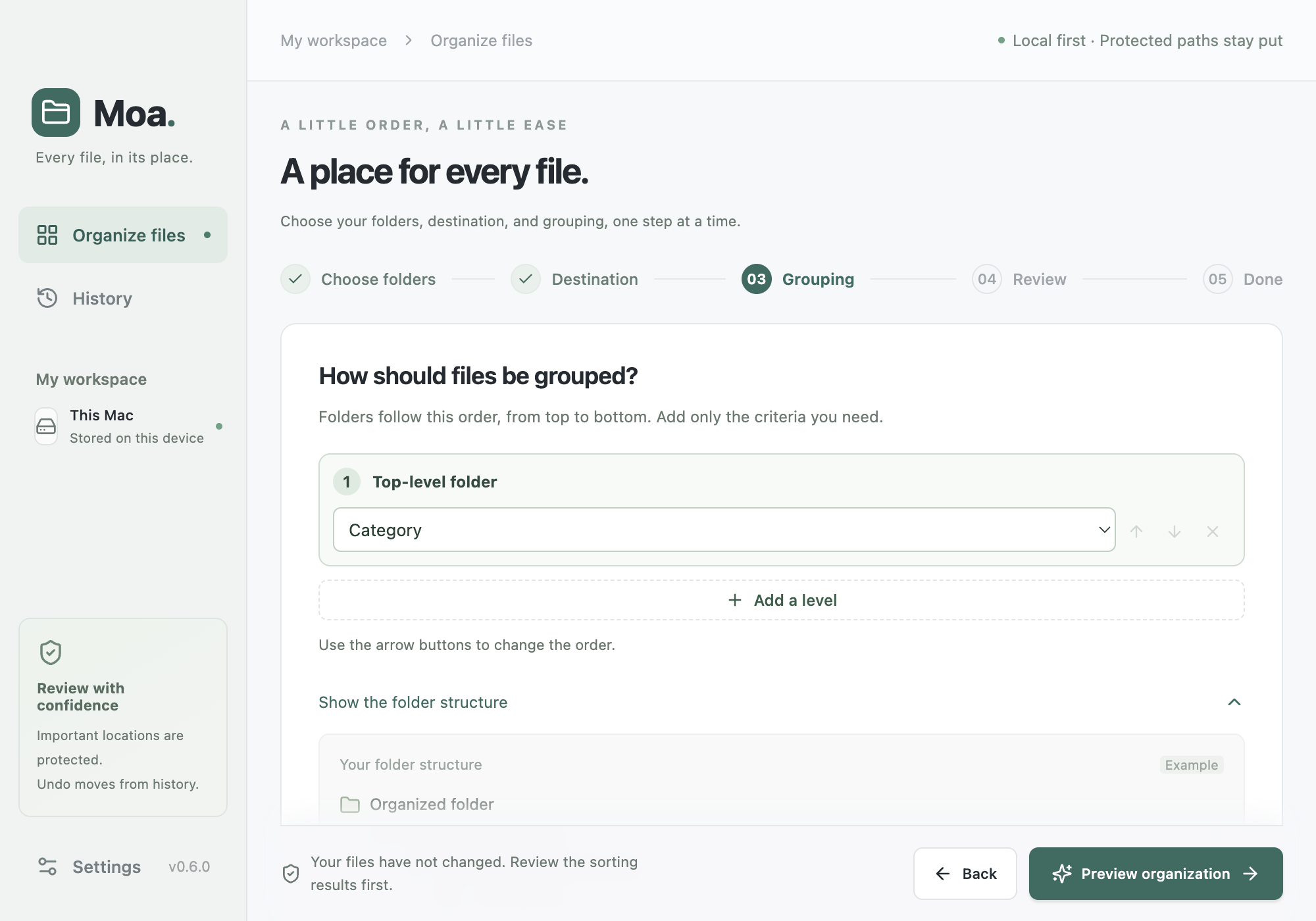
02 / You’re in control
Pick the folders you want to organize. Start with Downloads, or another place that could use a little attention.
See the suggested categories and destinations. Change the plan, leave items out, and decide what feels right.
You choose when to start. Unchanged moved files can be restored from history. Copy mode leaves the originals in place.
Your files deserve a little care
Basic sorting and text recognition run locally. Moa does not upload file names, document contents, images, or paths to organize your files. No AI account is needed.
Moved files can return to their original locations from history. Moa checks them before restoring and never overwrites an item already in the original location.
If contents or folder structure have changed, or a file was replaced, Moa leaves that item in place and tells you. This is not a backup of earlier file versions.
Prefer to keep the originals? Choose Copy. Your original files stay where they are.
If you run optional AI review, the file and folder names you review are sent directly to your selected AI service through your installed Codex or Claude Code CLI, without being relayed by a Moa server. Document contents, images, and full paths are not included. Your provider’s account and usage terms apply.
Feedback you choose to send and an optional reply email are stored on our server so we can review and respond. Files and diagnostic logs are not automatically attached.
Hosting providers may process connection information such as IP addresses when you visit this website or download the installer. Basic file organizing runs locally on your Mac.
Before you make room
Download the DMG, open it, and move Moa to Applications. This is a beta build for Apple Silicon Macs. It is not notarized by Apple, so macOS may block it from opening.
Yes, for moved items that still pass the safety checks. Open history and choose Undo to return them to their original locations. Changed contents, changed folder structure, replaced items, or an occupied original location can prevent restoration. Moa reports these items instead of overwriting them. Copy mode keeps originals and does not automatically delete copies as an undo action.
Not for basic organizing or text recognition: those run on your Mac. If you choose AI review, the file and folder names you first review go directly to your selected AI service, without being relayed by a Moa server. Feedback you choose to send is stored on our server. See the privacy details.
You review the plan and start the operation yourself. Copy mode keeps originals in place. Moving changes file paths and can affect links from other apps; Moa does not repair those links. For linked files or project assets, keep the originals and choose Copy.
Moa’s interface supports English and Korean. Switching languages doesn’t rename your existing files or change their contents.
This download is for Apple Silicon Macs with an M1 or later chip. An Intel Mac, Windows, iPhone, or Android installer is not available.
A little order. A little ease.
v0.6.4 beta · Apple Silicon Macs