
A little more space for what matters
Less clutter.
More breathing room.
A calmer home for your Mac files. Moa helps you sort the pile, choose a structure, and see what goes where — before you change a thing. For macOS desktop only; Windows, iPhone, and Android aren’t supported.
You’re on the list.
We’ll email you when early access is available.
No confirmation email is sent now. Save your private cancellation link below to remove your email from the waitlist.
Your private cancellation link ↗For macOS · Free to join · No payment required
Downloads will be published after code, privacy, and release-file review. For macOS desktop only.
01 / Make it your own
A system that makes
sense to you.
Category, year, file type. Pick one, two, or all three, in the order you like. Existing folders stay together, with their contents in place.
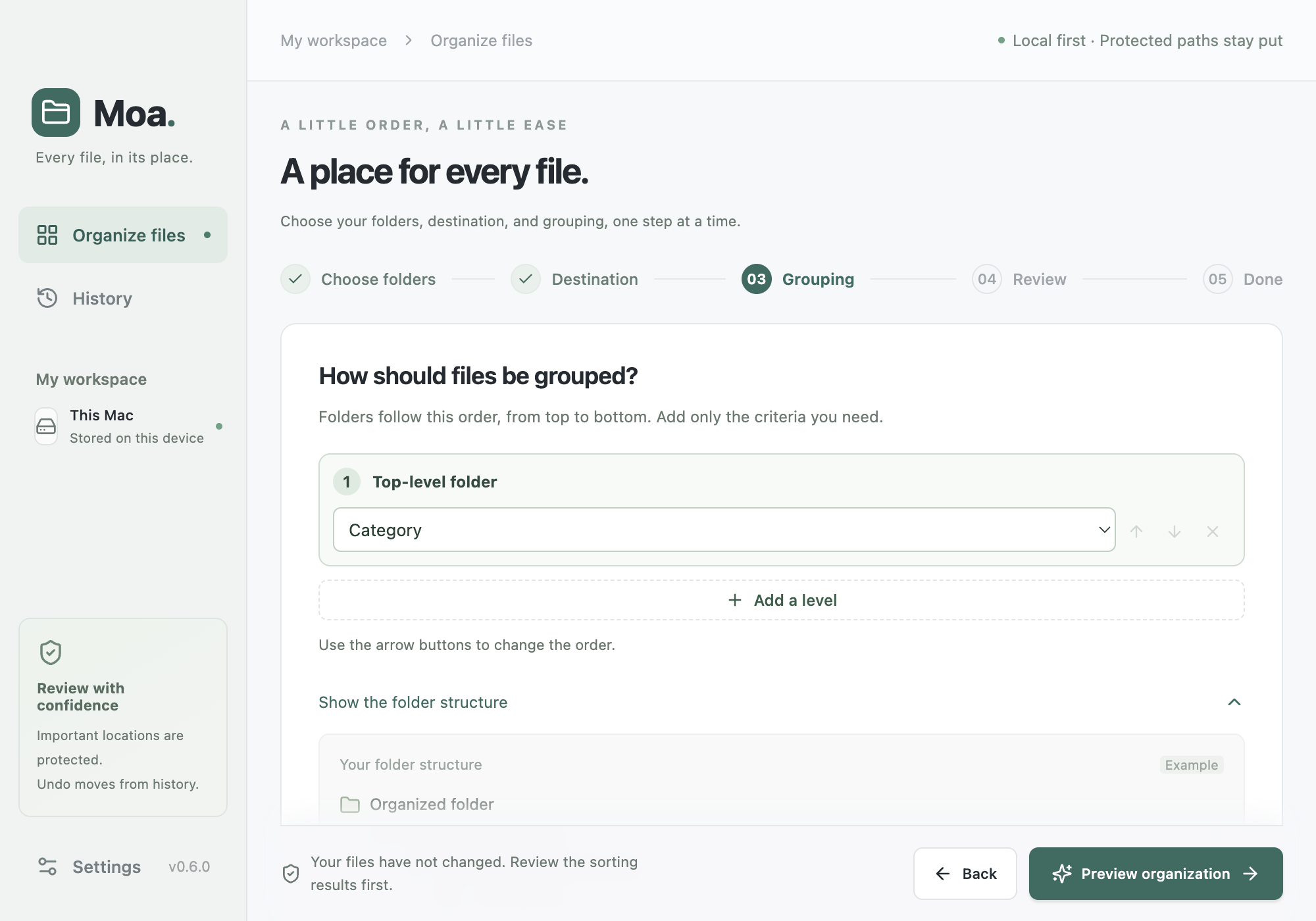
Try a different order.
Documents / 2026 / Notes.pdf
Illustrative example02 / You’re in control
First, a preview.
Then, a little progress.
- 01
Choose the pile.
Pick the folders you want to organize. Start with Downloads, or another place that could use a little attention.
- 02
Make the plan yours.
See the suggested categories and destinations. Change the plan, leave items out, and decide what feels right.
- 03
Give things a home.
Move files after review, or organize copies to keep originals where they are. Unchanged moves can be undone from history.
03 / Close to home
Your Mac does
the everyday work.
Basic sorting and text recognition run on your Mac. No AI account is needed to get started.
Want a second opinion? Optional AI review uses your installed Codex or Claude Code CLI. You review the file and folder names before they’re sent. Document contents and images aren’t sent.
Optional AI is subject to your provider’s account, usage limits, and terms.Before you make room
A few good questions.
Can I download Moa now?
We’re gathering interest for early access. Join the waitlist to hear when invitations are ready. There’s no launch date or pricing commitment yet, and joining doesn’t require payment. Moa is a macOS desktop app only. Windows, iPhone, and Android are not supported.
Will Moa move files on its own?
You choose the folders and review the plan before starting. Copy mode keeps your originals in place. Moving files changes their paths, which can affect links from other apps. Undo is limited when files or destinations have changed.
Which languages does it support?
Moa’s interface supports English and Korean. Switching languages doesn’t rename your existing files or change their contents.
What happens to my email?
We use it for Moa launch and early-access invitations. We don’t sell it. After joining, save your private cancellation link to remove your registration. See the privacy notice for details.
A little order. A little ease.
Make room for
your next good idea.
Join the waitlistMoa for Mac. Early access is on its way.